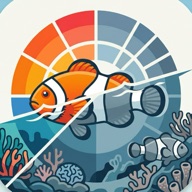
 Reef Tone
Underwater color correction for GoPro and DJI footage
Why underwater footage looks blue or green
Water absorbs light color by color. Red disappears first, after roughly 5 m, followed by orange and yellow. Green and blue travel the farthest, so the deeper you film, the more the picture shifts toward blue-green. In murky or algae-rich water the cast leans green instead of blue. The exact depths depend on water clarity.
This is not a camera fault. GoPro, DJI and other action cameras all record what reaches the lens, and below a few meters the warm colors are simply missing from the light.
What color correction does
Color correction compensates for the colors the water absorbed. It boosts the missing reds and oranges, removes the blue or green cast and often adds contrast and reduces haze. The result looks closer to what you saw with your own eyes at the surface.
Correct your footage with Reef Tone
- Import your video from Photos or Files.
- Choose the water: Blue or Green, depending on what the water looked like.
- Set the intensity and compare with the original before you save.
- Optionally fine-tune with advanced controls such as saturation, contrast and dehazing.
- Save the result to Photos or Files.
Everything is processed on your iPhone. There is no account and nothing is uploaded. Reef Tone is designed primarily for underwater video, and photos work too.
Tips for better results
- Get closer. The less water between you and the subject, the more color is left to restore.
- Use the light. Shallow water on a sunny day keeps the most color. Deep or dark scenes limit what any correction can recover.
- Use video lights or a filter if you often dive deeper than about 10 m. They put red back at the source.
- Pick the right water type. Choose Green for green water, Blue for clear blue water.
- Do not overdo the intensity. Compare with the original and stop where skin tones and fish look natural.
Works with any camera
Reef Tone works with any video you can import from Photos or Files, so it is not tied to one camera. It has been tested with footage from DJI cameras, and GoPro and other underwater cameras work the same way.
More guides
- How to fix green underwater video
- Color correction for DJI Osmo Action underwater footage
- Underwater color correction for GoPro footage